Sell a batch (pre-orders)
A batch is one dish, a number of portions, and one collection window. Buyers pre-order and pay up front, so you know exactly how many to make and you are shopping with their money rather than your own.
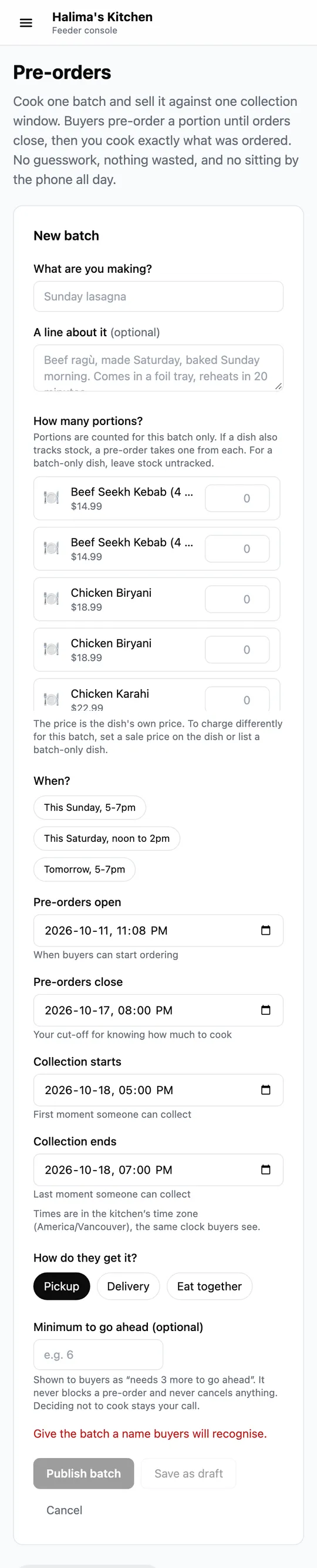
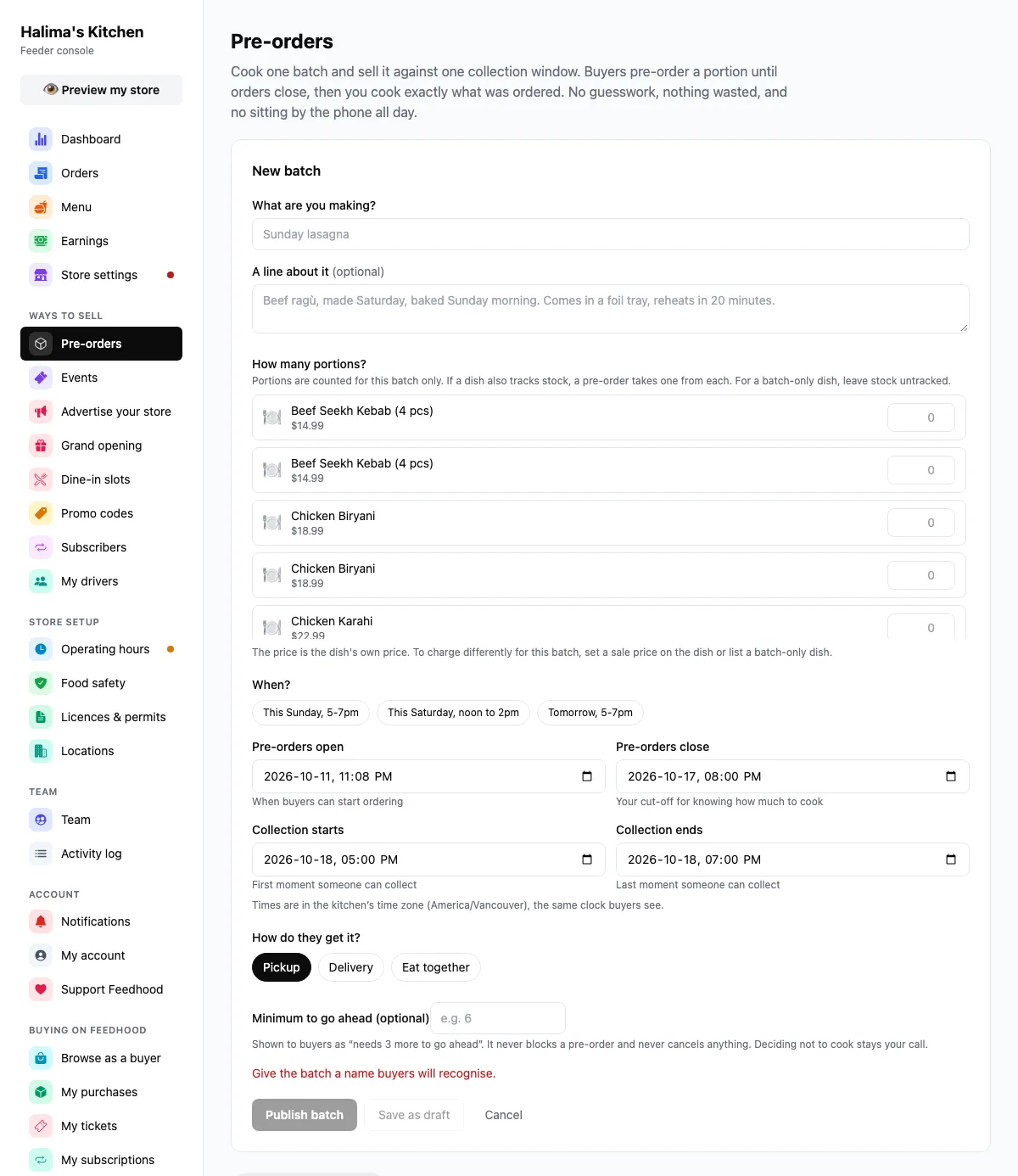
Pre-orders: the new batch form, and the batches running now.
Captured from feedhood.com. The phone view is the site at 390px wide. The Feedhood app does the same jobs and may look a little different.
What catches people out
It marks the batch cancelled for buyers. To give the money back you refund each order from Orders. That separation is deliberate. Cancelling and refunding are not always the same decision.
Once buyers have paid, the batch is kept so the orders keep their meaning. Cancel it, or archive it when it is over.
If the dish also tracks stock, a pre-order takes one from each. For something you only cook in batches, leave the dish stock empty.
Read next
Still stuck?
Nothing here is a substitute for a person reading your actual problem. We answer every message, usually within 1 to 2 business days.